
Our Blogs

Blogs

/

Blog Details

Crafting Engaging Stories That Captivate Your Target Audience Effectively

Related Blogs

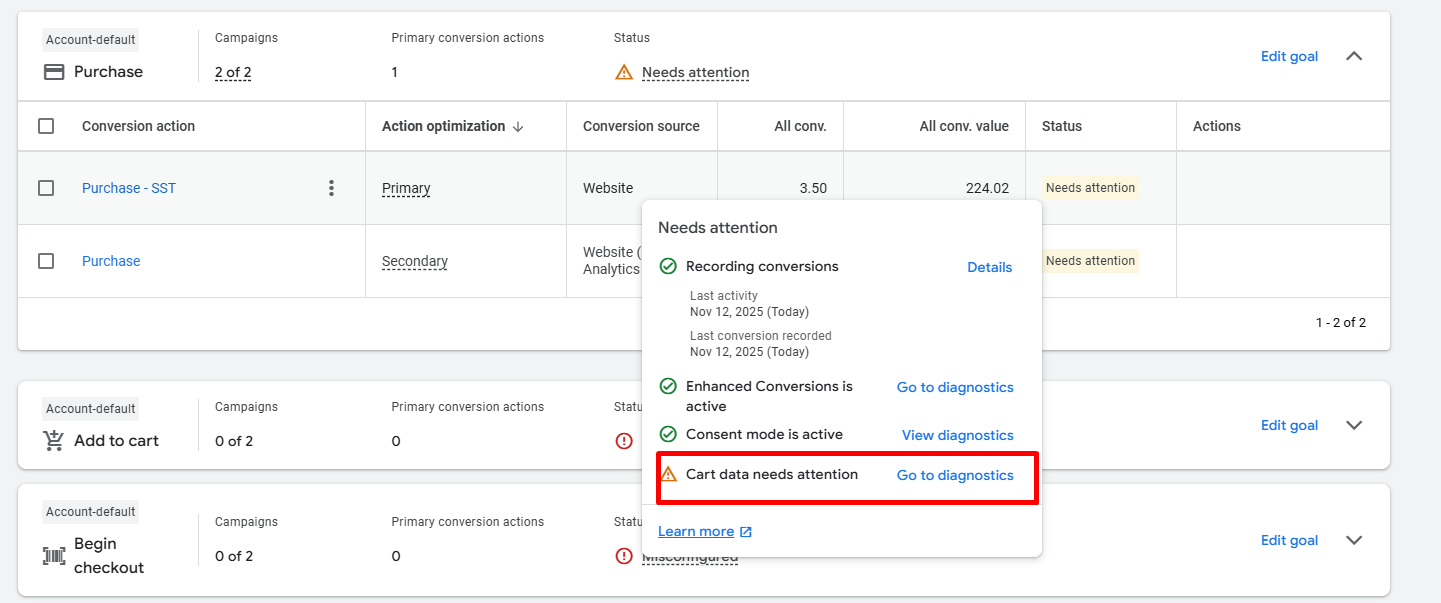
How to Fix the “Cart Data Needs Attention” Issue in Google Ads Conversion Tracking

When you see the yellow warning “Cart data needs attention” in your Google Ads conversion tracking diagnostics, it means your Purchase conversion event isn’t passing valid or complete product-level sales data — specifically, the items array required for Google Ads to understand which products were purchased. Let’s go step-by-step to fix this in Google Tag Manager (GTM), using a GA4 ecommerce dataLayer as your source. ⚠️ What the “Cart Data Needs Attention” Warning Means This diagnostic message typically appears in  Goals→ Conversions → Diagnostics → Cart data when: The Google Ads Purchase tag is missing the items array. The array exists but lacks one or more of these required keys: id (product/item ID) price quantity Your Merchant Center feed IDs don’t match the item_id values. Or the data format is invalid (not an array of valid objects). ✅ Step 1: Enable Product-Level Sales Data in the Purchase Tag In Google Tag Manager → Google Ads Conversion Tracking (Purchase): Scroll down and check “Provide product-level sales data”. Set the Data Source to Custom Fields. You’ll see a field called Items — this is where we’ll insert the correct array. If this field is left empty or malformed, your conversion will record...


Stape Store: The Smarter Firebase Alternative for Server-Side GTM

Stape Store is a built-in JSON database for server-side Google Tag Manager. It works like a lightweight Firebase directly inside your Stape account. You can store structured data, organize it in collections, and read or update it during sGTM processing.

What You Can Do With Stape Store


      • Cache API responses

      • Store user or session data

      • Keep tracking settings in one place

      • Enrich events with additional data

      • Share data between tags

      • Connect with external systems via API

    How It Works

    Stape Store uses three main tools:

    1. Stape Store Writer

    Writes or updates documents in the Store.

    2. Stape Lookup Variable

    Reads stored data during event processing.

    3. Stape reStore Variable

    Merges stored data into incoming requests.

    Write Data (Writer Tag)

    Store or update data automatically from your events.

    Read Data (Lookup Variable)

    Return a stored value, e.g., user plan or product info.

    Enrich Requests (reStore Variable)

    Automatically attach stored data to incoming events.

    Use TTL

    Set expiration for temporary data like sessions or promo codes.

    Use the API

    Read/write documents directly from your backend.

    Common Use Cases


        • User profiles

        • Product or pricing cache

        • Consent storage

        • Session data

        • Tracking rule storage

        • CRM or backend sync